Custom events and goals, with or without code
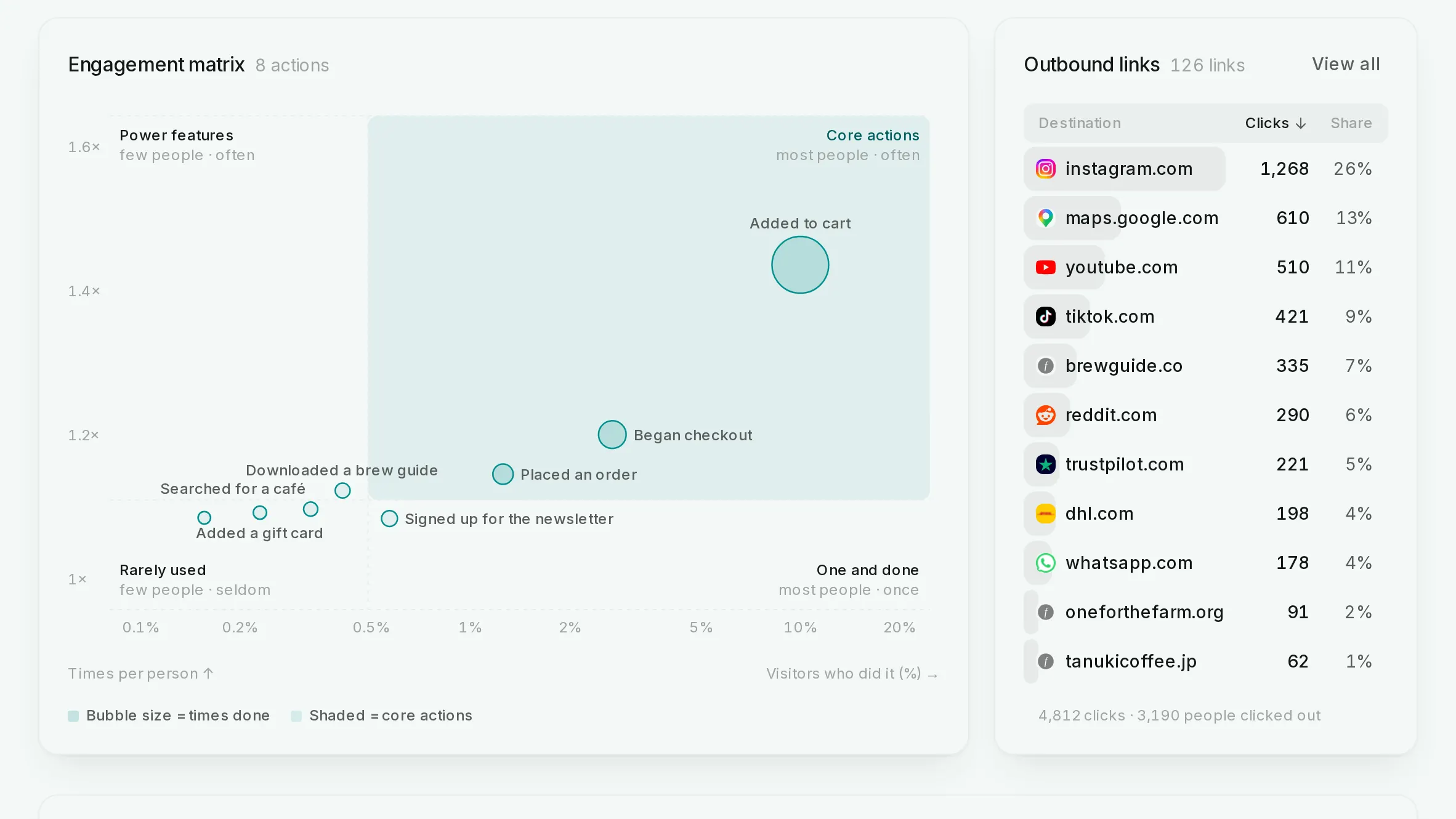
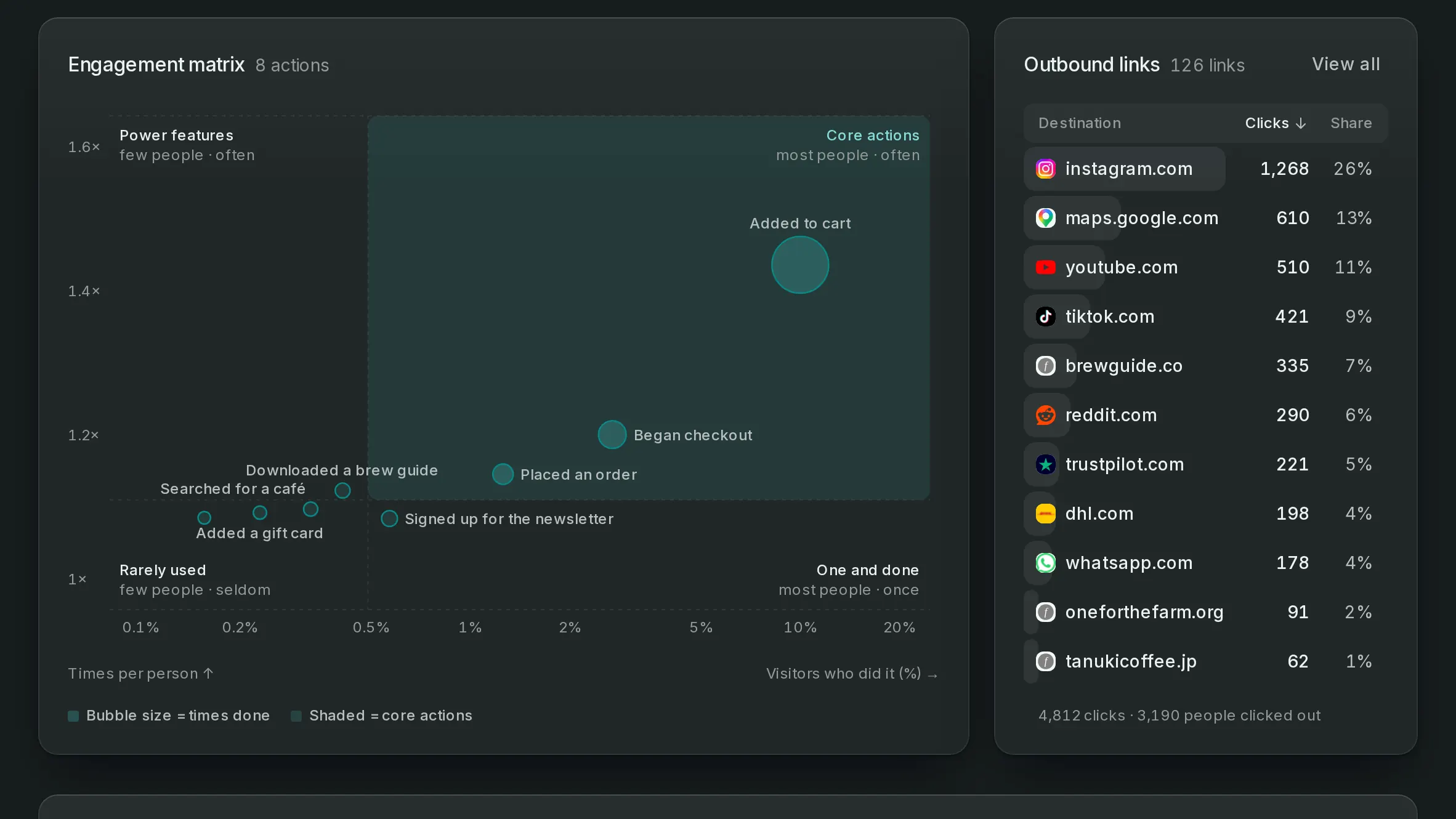
Track any action in code with sa.track(), or with no code at all by putting a data-sa-event attribute on a button. Mark the events that count as goals, and the engagement matrix shows which ones people use, and how often.
Custom events & goals, in detail
Code or no code
Call sa.track() with any properties, or add data-sa-event to an element and the click is tracked.
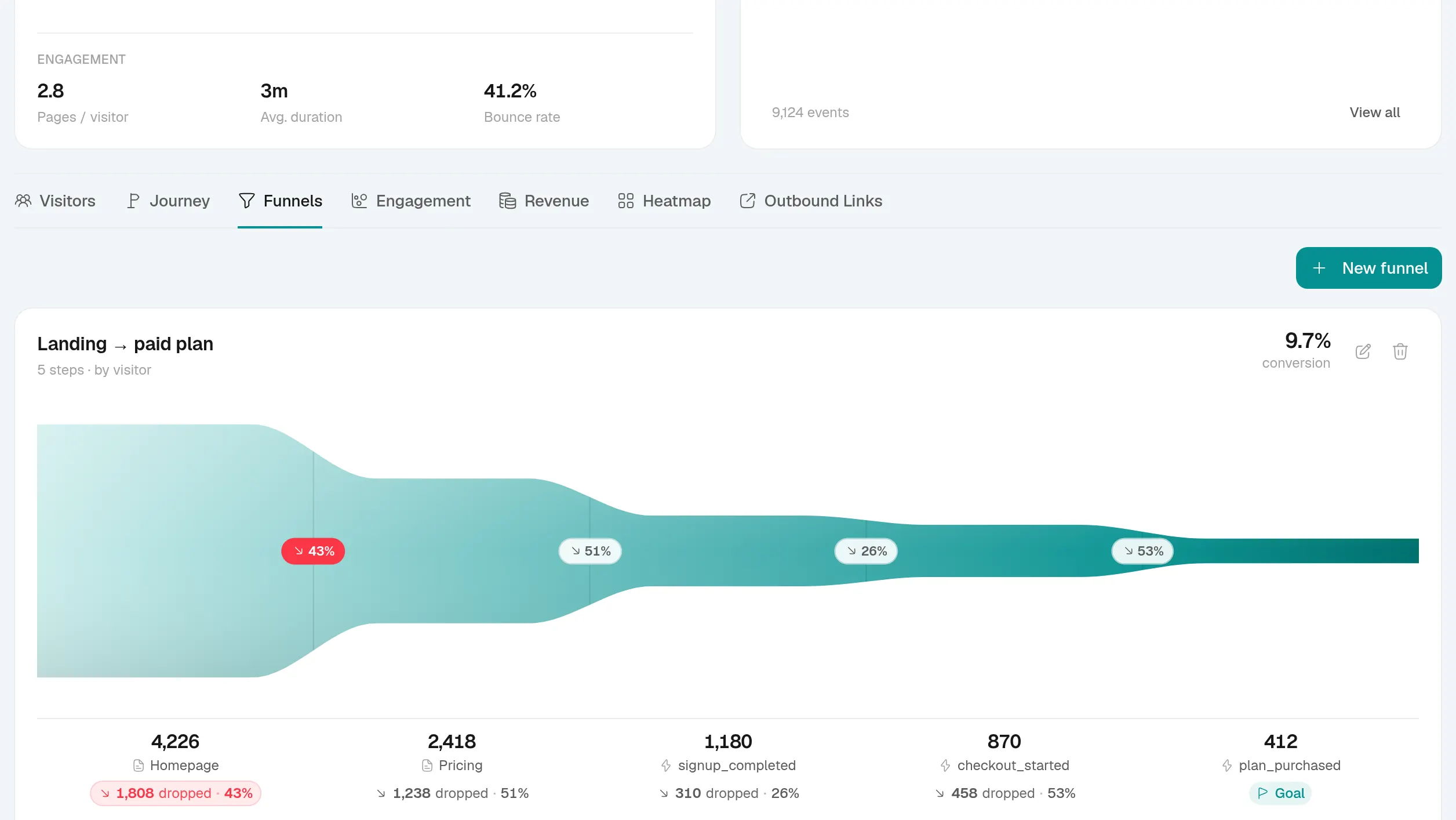
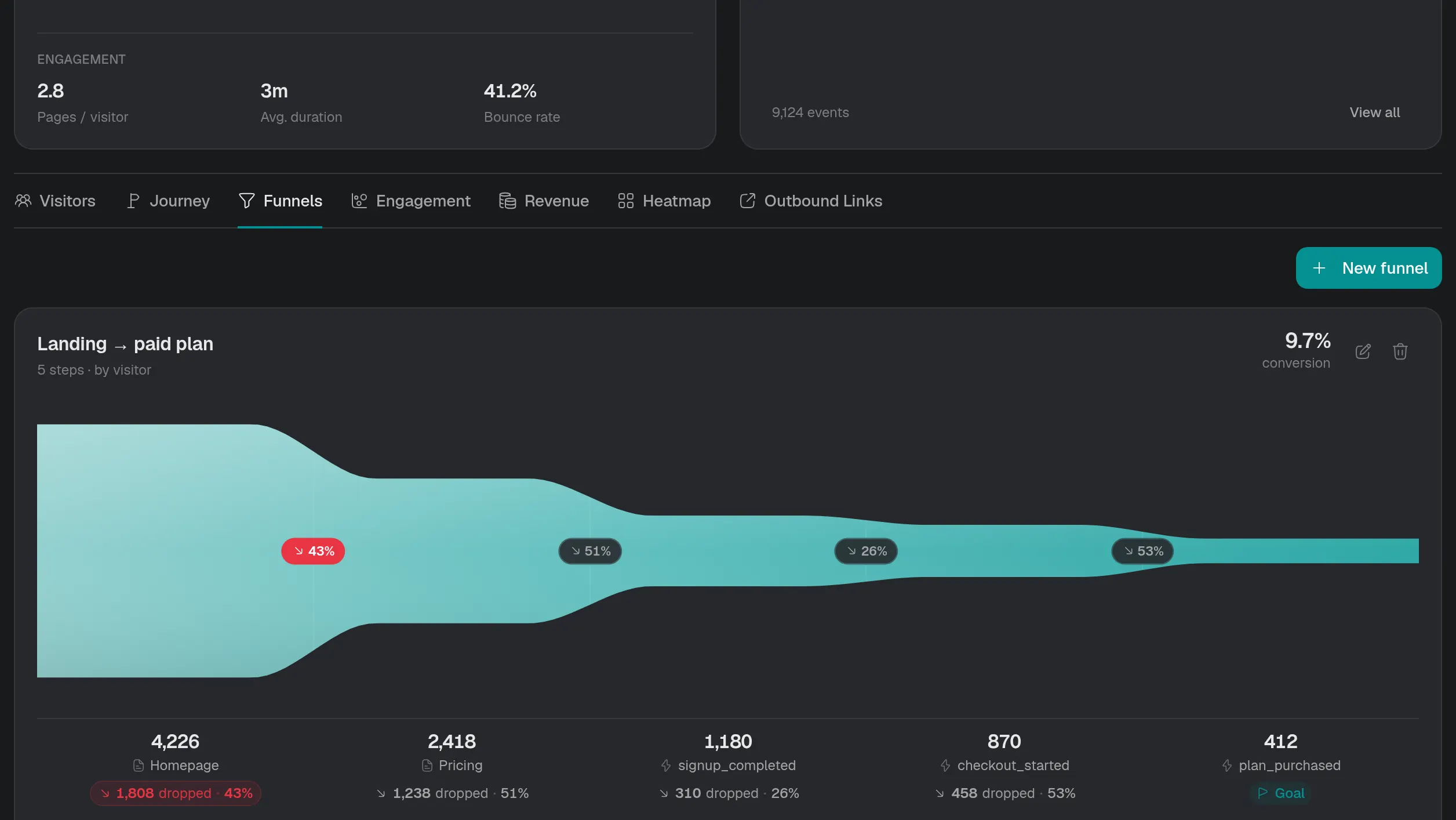
Goals that stand out
Mark the events that count, such as sign-ups, purchases and activations, and they lead your reports as goals.
The engagement matrix
Every event plotted by how many visitors do it and how often, to separate core actions from features people try once.
Events from your server
Send events from a backend with a server key, one at a time or in batches, with idempotency keys for safe retries.
Set it up in 3 steps
- Step 1
Tag a button
No code beyond the attribute; the click becomes an event.
<a data-sa-event="pricing_cta">Read the guide - Step 2
Mark your goals
Pick the events that count as conversions.
Read the guide - Step 3
Read the matrix
See which actions are core and which are tried once.
Read the guide
Custom events & goals, answered
If yours is not here, ask us.
- 01
Do custom events count toward my plan?
Yes. Every page view and custom event counts once toward the monthly allowance. A visitor reading four pages and clicking one tracked button is five events.
- 02
Can I send events from my server?
Yes. POST them to the server events API with a server key, singly or in batches, and use idempotency keys so a retry never counts twice.
- 03
Can events carry properties?
Yes. Pass properties with sa.track() or as data attributes, then filter and break down your reports by them.
See what turns a visit into recurring revenue
Create an account, paste one snippet, and watch the first visitor land.